Your Partner, on Your Home Screen
iOS widgets that show your countdown, your partner's time, how long you've been together, and a photo of you two. No need to open the app.
Download Free on iOS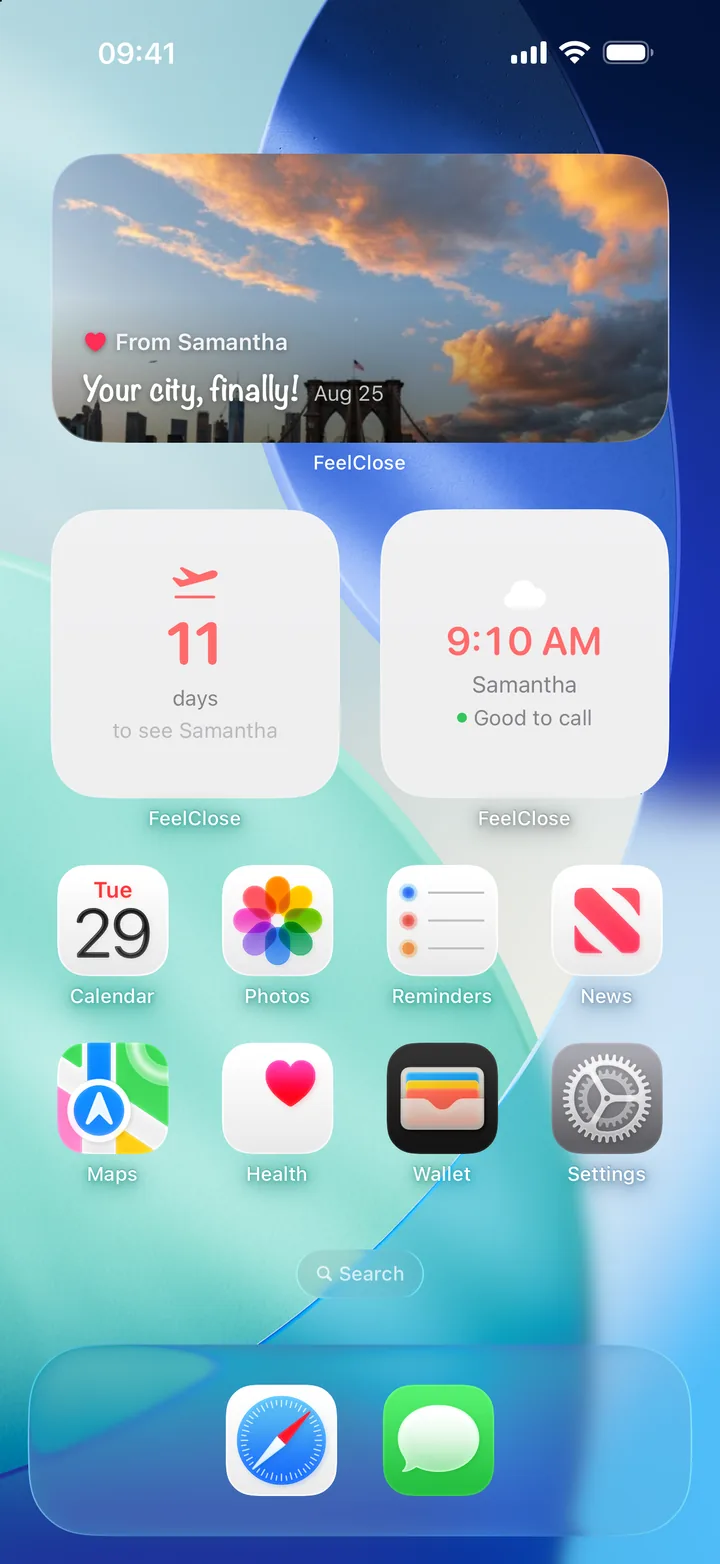
Five Widgets, One Glance
Each widget shows a different piece of your relationship at a glance.
Next Visit
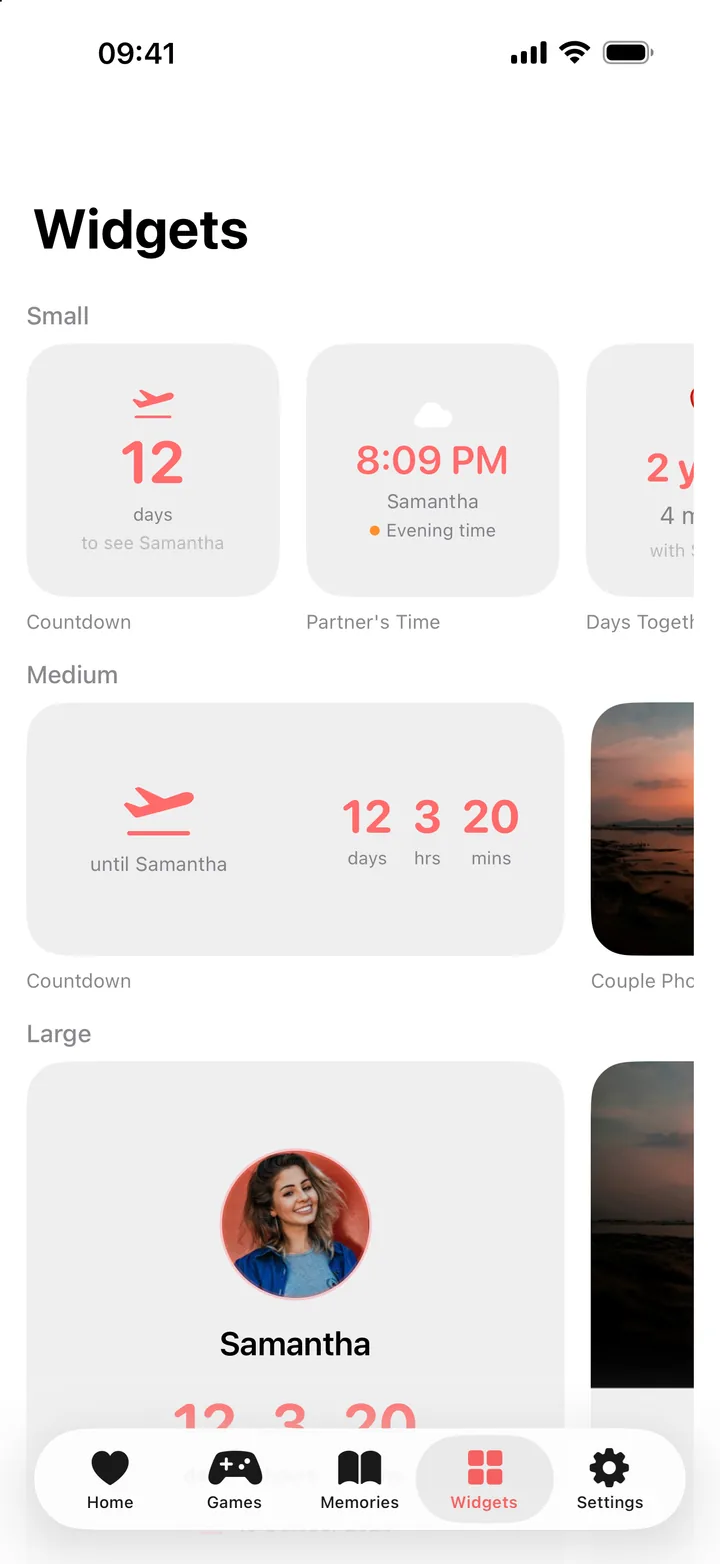
Counts down the days, hours, and minutes until your next visit. The large size adds your partner's photo.
Partner's Time
Shows your partner's current local time with a hint like "Good to call" or "Probably sleeping", so you never have to do timezone math.
Days Together
Shows how many days you've been together. A quick reminder on your home screen of how far you've come.
Couple Photo
A photo of you two, right between your apps. Upload it in the Widgets tab and move it until the crop is just right.
Memories
Shows a photo your partner sent to your home screen, with their name on it. When they haven't sent one, it shows your newest shared memory.
Pick Your Size
Next Visit, Couple Photo, and Memories come in small, medium, and large. Partner's Time and Days Together are small.
Small
One thing at a glance: days to go, their time, days together, or a photo. Every widget comes in small. Fits a 2x2 spot.
Medium
Room for the full countdown in days, hours, and minutes, or a wider photo. Takes a 4x2 spot.
Large
The countdown with your partner's photo, or a big couple photo or memory. Takes a 4x4 spot.
Make It Yours
Open the Widgets tab in FeelClose to preview every widget and style them. Pick an accent color, add a photo of you two, and move it until the crop looks right.
- Seven accent colors, from Coral to Teal
- Upload a couple photo and adjust its position
- Send a memory straight to your partner's widget (premium)
- Updates automatically throughout the day
- Add multiple widgets if you want
How to Add a Widget
Takes about 30 seconds.
Long press your home screen
Hold down on any empty space until the apps start wiggling.
Tap the + button
It's in the top left corner. Search for "FeelClose" in the widget gallery.
Pick a widget and size
Choose Next Visit, Partner's Time, Days Together, Couple Photo, or Memories, then pick a size.
Place it
Drag it where you want it and tap Done. Change colors and your couple photo anytime in the Widgets tab.
Frequently Asked Questions
Add Your Partner to Your Home Screen
Download FeelClose, connect with your partner, and add a widget. The countdown widget is free, and one premium subscription unlocks the rest for you both.
Download Free on iOS